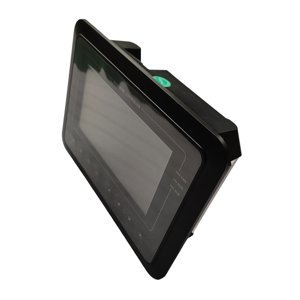
“Elektronikon MK5 controller” is not a complete purchasing specification. Atlas Copco control systems can include a display, a main controller, I/O modules and communication hardware, with machine-specific configuration. This guide deliberately focuses on procurement and replacement preparation — not controller programming or board-level repair.
First define what is actually being replaced
- Display or HMI: the screen and operator interface may be a separate item.
- Main controller: the processor module that executes machine control logic.
- I/O module: hardware that connects sensors, switches, valves and other field signals.
- Complete panel: an assembled enclosure may include several modules, wiring and protective devices.
Ask the technician to identify the failed assembly and the required supply scope. Otherwise one quotation may cover a screen while another covers a complete controller, making the prices impossible to compare.
Collect labels and machine evidence before requesting a quote
Photograph the controller label straight on, the full front, rear connectors, every installed module and the compressor serial plate. Record all numbers, hardware revisions and legible software information. Add compressor model, serial number, voltage, drive type and the controller role. Do not crop the connector arrangement out of the evidence set.
Compatibility checks the quotation should address
| Area | Question to resolve |
|---|---|
| Identity | Is this the same number or a documented current supersession? |
| Machine | Does it apply to this model, serial range and compressor configuration? |
| Hardware | Are connectors, I/O count, display and communication interfaces correct? |
| Software | Is machine software included, transferable or installed during commissioning? |
| Scope | Are cables, adapters, mounting parts or additional modules required? |
Confirm the controller is the failed item
A blank display, communication alarm or unstable input does not always mean the main controller is defective. Qualified personnel should check supply voltage, fuses, wiring, connectors, grounds, sensors, network and display components using the machine documentation. This prevents an expensive module from being ordered to fix a cable or power-supply problem.
Plan backups, installation and commissioning before shipment
Establish who will save available parameters, install the hardware, load or restore the correct configuration and verify all safety functions. A controller should not be treated like an unconfigured plug-and-play spare. Confirm whether the supplier provides hardware only, pre-configuration or onsite/remote commissioning support, and define what happens if the old controller cannot be read.
Controller RFQ template
- Requested and old part number, including every suffix or revision.
- Compressor model, serial number, voltage and VSD/fixed-speed configuration.
- Required scope: display, module, I/O unit or complete panel.
- Label, connector, panel and machine-plate photos.
- Current symptom and diagnosis already completed.
- Required software/parameter scope and commissioning responsibility.
Send this information with your enquiry and ask the supplier to confirm the exact quoted scope in writing. You can then compare lead time and price without losing the technical conditions that determine whether the controller can be installed and commissioned safely.